14 KiB
Midra layout helper: implementation status and backlog
Reconciled on 2026-11-14 against the current editor, device adapter, regression tests and recorded Eikos 4K firmware 3.3.10 hardware checks. This replaces the original draft checklist: unchecked items below are actual remaining work, not already implemented features awaiting a historical milestone.
The original visual proposals are retained below for design context. The user guide describes current controls; the device-send contract and hardware findings distinguish automated tests, device readback and physical-screen acceptance.
Completed implementation
- Rust/egui workspace app; canonical pixel geometry, stable layer/input IDs, source/input/layer formats, custom output resolutions, corner/center conversion and full-precision geometry with one-decimal display/whole-pixel export.
- Multi-layer viewport, selection/marquee, movement/nudging, pointer-centered zoom/pan, fit controls, eight resize handles, aspect lock, pivots, proportional group resizing (same, horizontal mirror, opposite), alignment and undo/redo.
- Snapping during movement and resize, pixel grids/rulers, screen-center and quarter guides, other-layer edges and temporary modifier overrides.
- Advanced input/layer cropping, content zoom/offset, visual crop handles, reset, double-click entry and translucent retained-content surroundings.
- Layer add/remove/rename/order, lock/visibility, collapsible single-level folders, folder selection/rename/reorder and drag organization. Folder eye/lock currently edits member flags in bulk; it is not inherited state.
- Multiple fixed reference images, drag/drop/picker, per-image visibility, opacity, native-size/offset, proportional fit/stretch warnings, outline-only layer display and adaptive image filtering.
- Reference imports and project/recovery reads, parsing, validation and embedded-image decoding run off the UI thread. Loading is atomic; failures preserve the editor. Manual project loading is cancellable and recovery autosave pauses while loading.
- Explicit Midra input snapshot capture: available-input picker, still preview, Use for selected layer, preview visibility and guide-opacity controls, plus Add as reference. Optional timed refresh (default 10 seconds), one request at a time and at least five seconds between requests; visible previews only.
- Clipboard/import mapping review with per-row target/ignore, independent size/position/available-zoom toggles, draw.io stroke handling and own-copy round trips. Real draw.io clipboard sample and draw.io-exported SVG supported.
- Eleven-format file exchange: SVG, draw.io, geometry JSON, CSV, DXF/DWG, HTML, PPTX, FIG, FIGCRAFT and AI through VectorCraft. Shared geometry, scope and review, optional artwork where supported, page/frame selection and licensing build flag. Two-layer Full HD and UHD templates exist for all eleven formats.
- Project JSON v12, tested legacy/recovery migration, saved layer links, central application preferences, full Settings, themes and recent-theme list.
- Separate Midra connection and mapping/transfer controls, saved address, optional startup connection, online status, explicit direct linked send/load and configurable mapping review. Scope defaults to All with Selected/Folder. Unmapped rows skip; duplicate destinations within a send scope are rejected.
- Persistent per-layer screen/layer links, Mapping properties and Unmap. Reordering/visibility do not alter links; alternative folders can reuse targets.
- Multiple editor layers may share one Midra destination. Mapping warns with other linked layer names/folders; sends reject overlaps only within the chosen scope. This replaces the earlier extra-links-per-layer proposal. Nested folders and additional file codecs have been removed from scope at the user's request.
- Both device sizing strategies, Centered-crop imports, required preset apply pulse, rounding/reconstruction checks and readback. Preview/Program protocol checks on Eikos 3.3.10 are recorded; Program availability is a user preference.
- Advanced shared-input settings are explicitly opt-in; only edited fields are sent while enabled. This supersedes the original “never write input settings” scope. Routing, TAKE and live playback control are not implicit geometry actions.
- Geometry/import/UI/mock-device regression tests, workspace CI, coverage, documentation and release build configuration integration.
Remaining feature work
-
Aquilon / LivePremier adapter. Protocol investigation and implementation sequence completed. A read-only AQL Cmax 6.2.79 emulator probe confirmed identity and a 118 MiB state store; unsupported identities now fail before state download. Next: sanitized emulator fixtures, firmware-aware geometry import, family-aware saved links, send/apply/readback, then verified crop and capture support. Aquilon is not enabled yet.
-
Further export/workflow cleanup. Shared transfer scopes, mapping review and direct linked send/load are implemented; further changes await specifications.
-
Additional native clipboard adapters. Obtain actual software/version clipboard samples before implementing or claiming Inkscape, Illustrator, Figma, etc. clipboard support. File import is not native clipboard compatibility.
-
Non-Centered/masked Midra layer import. Expand conversion only after verifying those semantics. Source routing synchronization remains separate from the opt-in shared-input settings editor.
-
Optional capture extensions, if wanted. Standalone capture saving as separate image files is not implemented. Project version 11 saves layer-preview assignments, stills and refresh settings (restored paused); low device load remains a requirement for any refresh extension.
Confirmed format acceptance
User-confirmed working on 2026-11-14; these format issues are solved:
- PPTX — working flawlessly.
- draw.io — working.
- SVG — working.
User-confirmed import/export working on 2026-11-15; these format issues are solved:
- Figma FIG — import/export validated.
- FigCraft FIGCRAFT — import/export validated.
- DXF — import/export validated.
- DWG — import/export validated.
Remaining acceptance and release checks
- Compare known test images on the physical output for both sizing strategies, asymmetric/extreme crops and source aspects. Device readback is not visual proof.
- Broader firmware/source-format coverage, including exhaustive device limits, all corner/center placements and non-Centered/masked configurations.
- Operator-laptop checks: dense reference at Fit/100%/400%/1600%, large-project loading, GPU memory and measured drag responsiveness; aim for a 60 Hz interaction budget. Worker decoding does not remove GPU texture upload cost.
- Windows/macOS/Wayland clipboard, DPI/GPU presentation and native-dialog checks. Headless Linux interaction tests do not replace platform acceptance.
- Accessibility/tab order, enlarged text, contrast and narrow-window review; verify complete setup → position → crop → paste → copy → undo → send/load workflows.
- Exercise portable release bundles on target machines and complete the release checklist. Build/CI integration already exists; this is packaging acceptance.
Verification notes
Input capture was tested with the connected Eikos on 2026-11-14: a read-only GET returned a 512 × 288 PNG from active input 3; inactive input 1 returned a blank 128 × 128 PNG. See snapshot contract. No input routing, snapshot settings, still-library slot or layer was modified. Snapshot dimensions/freshness are device-controlled and broader firmware behavior remains unverified.
The remaining validation entries above deliberately stay open. Implemented code, passing regression tests and protocol readback do not substitute for operator acceptance or physical-screen inspection.
Coordinate model and historical visual proposals
Implemented internal model: screen origin at its top-left, X increases rightward,
Y increases downward, and a layer's final visible box is (x, y, width, height). Positive corner
offsets point inward. Matching corners are the default; the current editor also supports independent
screen/layer measurement points and center anchors.
For screen size W × H, layer size w × h, and offsets dx, dy:
| Selected corner | Layer left x |
Layer top y |
|---|---|---|
| Top left | dx |
dy |
| Top right | W - dx - w |
dy |
| Bottom left | dx |
H - dy - h |
| Bottom right | W - dx - w |
H - dy - h |
For uncropped geometry, the visible-box center values are
horizontal = x + w/2, vertical = y + h/2. The inverse subtracts the half-size.
The corresponding inward margins are left=x, top=y, right=W-x-w and
bottom=H-y-h. Switching corner just chooses which margins to display.
Example used in every mockup: on a 1920 × 1080 screen, a 640 × 360 layer 120 px from the right and 180 px from the top has top-left 1160, 180 and center 1480, 360. The other layer is at 120, 180, center 440, 360. An odd width such as 641 produces a half-pixel center when the left edge is an integer; the device exporter quantizes geometry and verifies reconstruction error. See the device-send interface for container corrections. Advanced cropping must retain these visible-box coordinates while deriving any distinct device container through its adapter.
Visual proposals
These are original, editable SVG interface mockups, not application screenshots. Open them in a browser or image viewer to inspect at full size. The example background is illustrative artwork standing in for an imported picture. Labels such as “Copy” and “Paste” illustrate planned controls; nothing is interactive yet.
A. Operator desk — recommended
Dark slate surfaces, cyan selection, amber second-layer identity and a restrained purple primary action consistent with existing repository interfaces. A large viewport occupies the left; the fixed right inspector groups the layer list, corner selector, offsets, size and WebRCS outputs in reading order. Thin outlines, corner markers, center crosshairs and dimension guides make selection unambiguous.
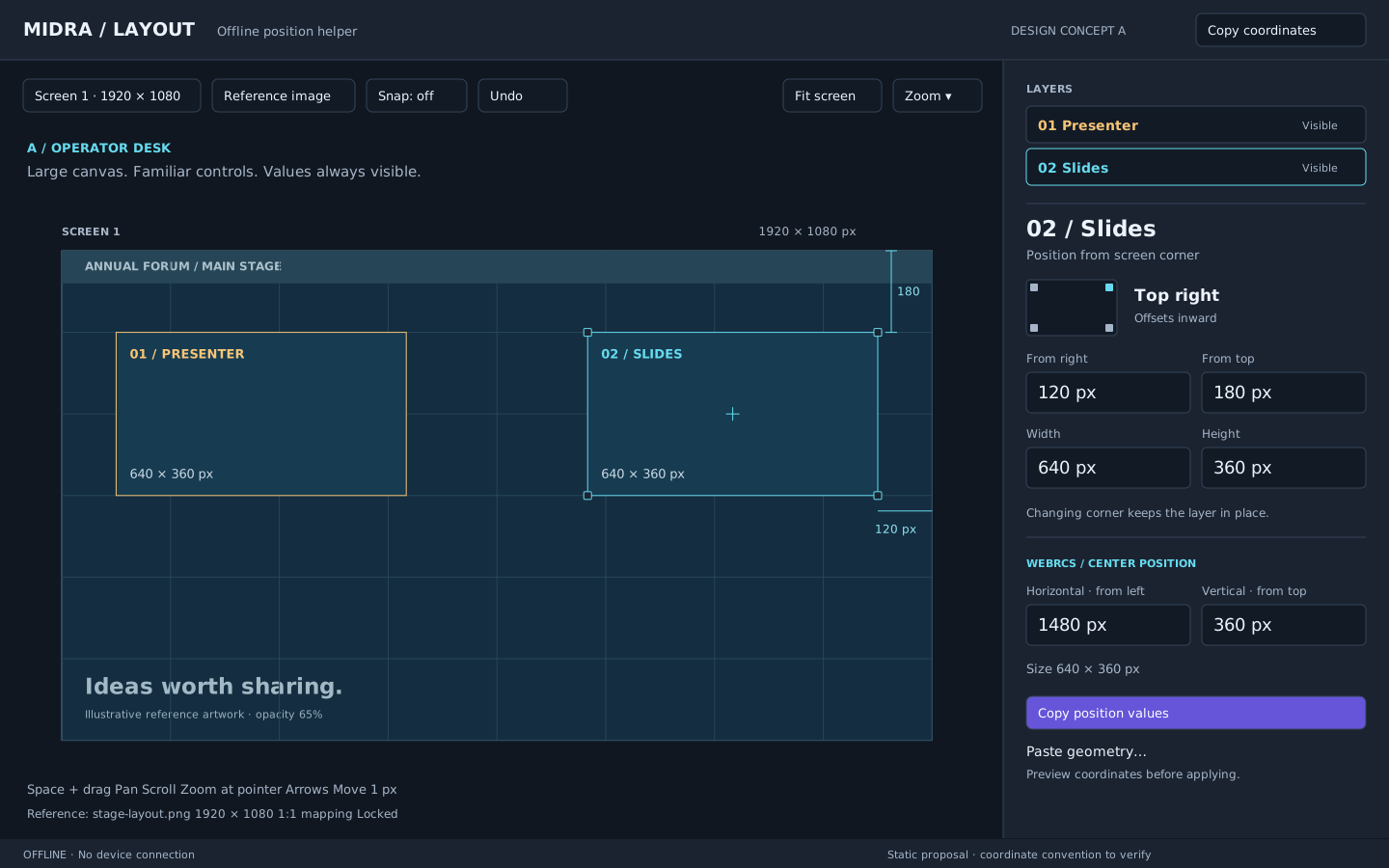
Best for working beside show-control tools. The tradeoff is less contrast against dark reference images; add a contrasting outline halo and an outline-only mode. Keep the output card visible while upper inspector sections scroll. A compact bottom status line carries camera/pixel information and shortcut hints.
B. Precision desk
A light inspector and drafting surface with screen-coordinate rulers. The same placement workflow emphasizes measurements and field readability. The artwork retains its own colors independently of the UI theme.
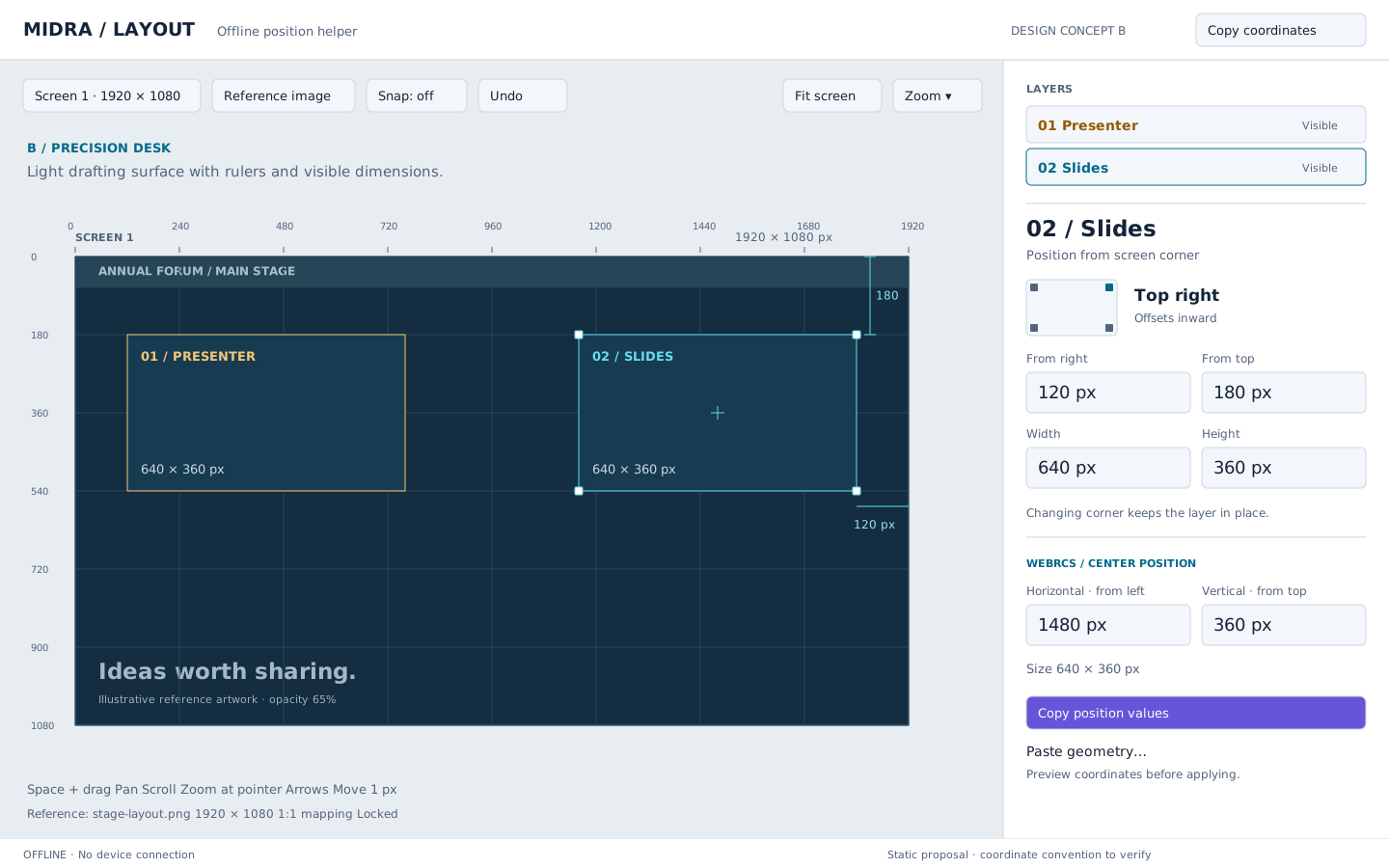
Best for daytime preparation and detailed artwork matching. It uses more visible measurement marks and can feel busier; rulers and guides should be optional. Its useful features can be incorporated into A without maintaining two different apps.
C. Focus desk
A wider viewport and narrower contextual inspector. This proposal illustrates the multi-selection state: a named reference layer, explicit alignment actions and a compact per-layer coordinate table. The layer list remains on the right.
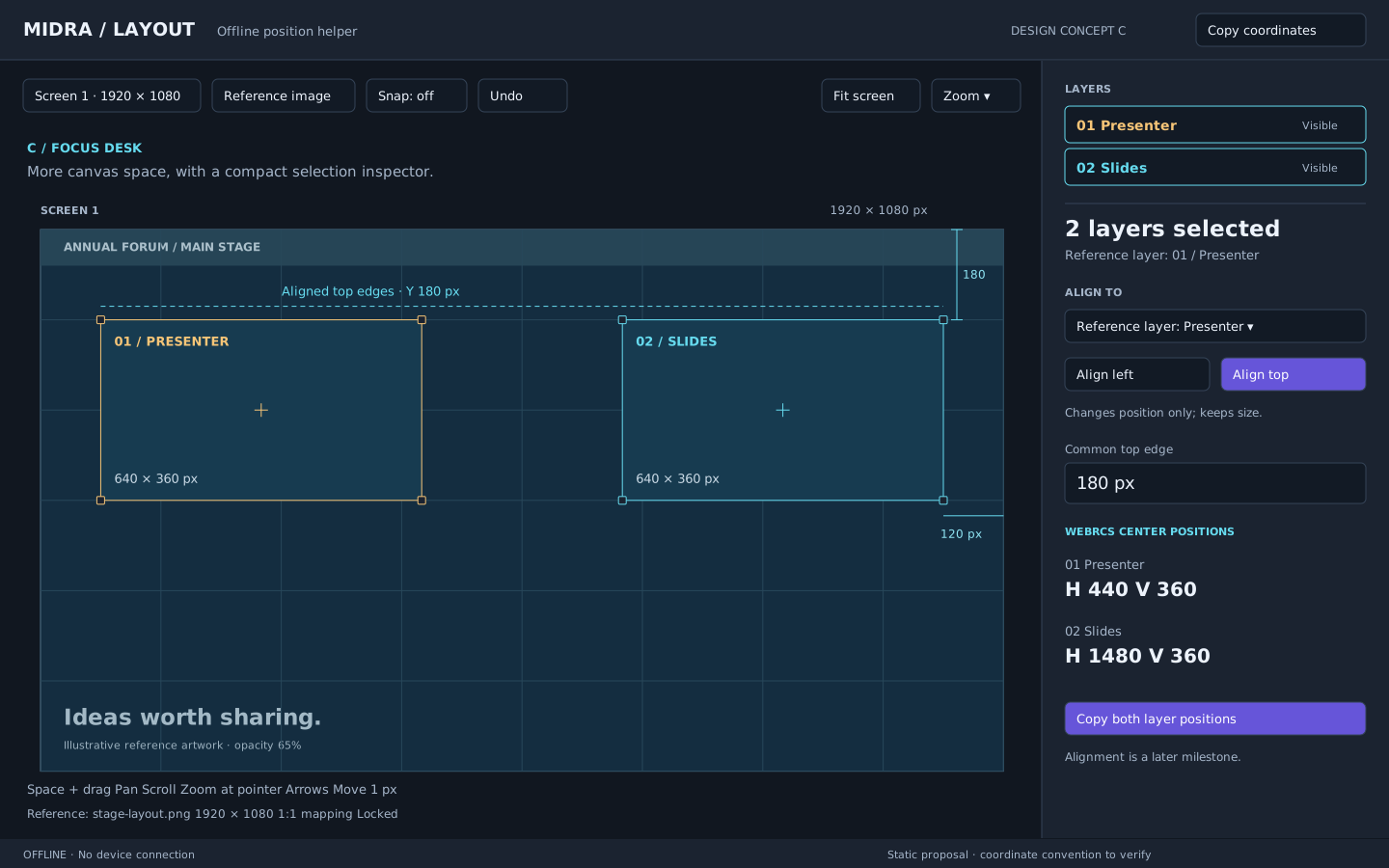
Best for repeated placement and comparison once the basic workflow is familiar. Less space for numeric explanations makes it weaker as the initial default. The alignment state is now available under step 7; the SVG remains a design concept.
Shared interaction and responsive behavior
Keep the screen aspect ratio exact, surround it with a neutral pan area, and use consistent screen-space selection markers. Display only relevant guides, with labels in screen pixels. Layer identity and selected state must be distinct. Always allow selecting a layer from the list when its outline is hard to hit.
The desktop window should retain a right inspector at normal working sizes. At narrow widths, reduce decorative padding and collapse secondary sections; below the proven minimum width, use a right drawer rather than crushing numeric fields. At short heights, scroll sections while retaining access to conversion outputs. Mouse and keyboard interaction are the first priority; a mobile UI is not part of this desktop tool.
Research and open decisions
The Analog Way Midra 4K V3.2 manual, July 2024, pp. 83–85 documents layer alignment, snapping, position and size controls. This supports the workflow research; it does not establish the precise coordinate convention or current firmware behavior for the user's installation. Avoid portraying all WebRCS versions as lacking alignment. The proposed improvement is more explicit corner-based positioning and reference-image inspection.
Figma's zoom/view documentation provides useful precedents for fit-to-view, selection zoom and pixel inspection. Borrow those interaction ideas, without introducing vector-editor features.
Analog Way's Midra 4K FAQ identifies an offline simulator that may help verify behavior without connecting this helper to hardware. Simulator agreement should still be checked against the installed WebRCS version.
The installed firmware is recorded as Eikos 3.3.10. Primary operator OS/display scale and broader platform acceptance remain to verify. Concept A is approved; the user-supplied draw.io clipboard rectangle is retained as a regression fixture. The implementation and backlog at the top of this document supersede the original mockup assumptions.